


Hey there! I'm a supplier of 360 Digital Dome Screens, and today I wanna chat about the control methods for these awesome pieces of tech.
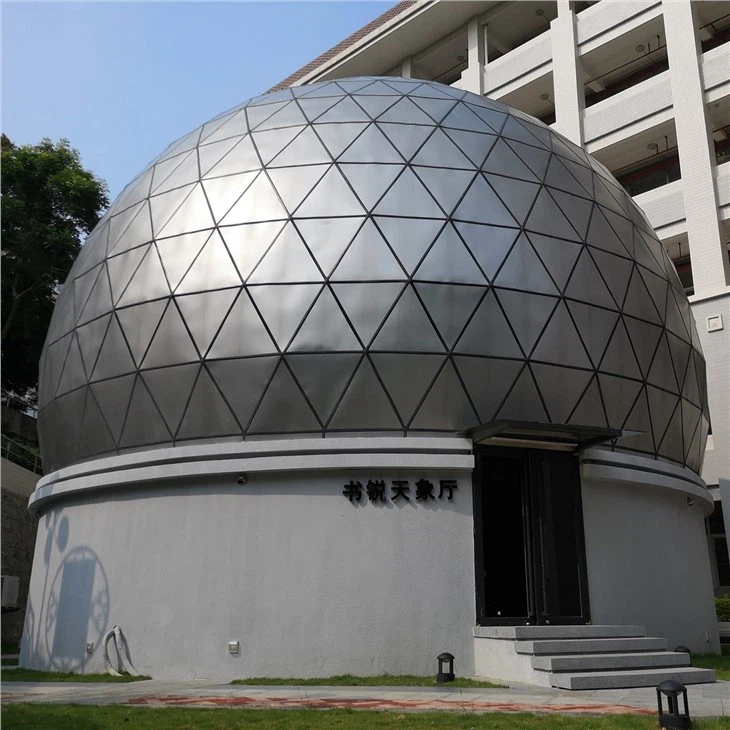
First off, let's understand what a 360 Digital Dome Screen is. It's a spherical projection surface that can create a fully immersive experience. Whether it's for a Horizontal Metal Planetarium Dome, a Fulldome Cinema, or Planetarium Projection Domes, the control methods play a crucial role in delivering a top - notch show.
Manual Control
One of the most straightforward control methods is manual control. This is like the old - school way of doing things, but it still has its charm. With manual control, an operator physically manipulates the controls to start, stop, or adjust the projection on the 360 Digital Dome Screen.
You might have a control panel with buttons and sliders. For example, there could be a big red button to start the projection show. The sliders can be used to adjust the brightness, contrast, or even the position of the projected image on the dome. It's simple and gives the operator direct hands - on control.
The advantage of manual control is its simplicity. You don't need a lot of technical knowledge to operate the basic functions. It's also great for quick adjustments during a live show. If the lighting in the room changes suddenly, the operator can quickly tweak the brightness of the projection.
However, there are some downsides. Manual control can be time - consuming, especially if you need to make multiple adjustments in a short period. And it's prone to human error. For instance, an operator might accidentally hit the wrong button and mess up the whole show.
Remote Control
Remote control is another popular option. It's similar to how you control your TV at home, but on a much more advanced level. You can use a handheld remote device to send signals to the 360 Digital Dome Screen's control system.
The remote can have pre - programmed functions. For example, you can set one button to play a specific projection show, another to switch between different content sources, and yet another to adjust the volume of the accompanying audio.
The beauty of remote control is its convenience. You can be anywhere in the room and still control the dome screen. This is especially useful during large events where the operator needs to move around to monitor the audience's reaction.
But just like manual control, it has limitations. The range of the remote can be a problem. If you're too far away from the dome screen, the signal might not reach the control system. Also, if the batteries in the remote die, you're in a bit of a pickle.
Computer - Based Control
In today's digital age, computer - based control is becoming more and more popular. You can use a software application installed on a computer to manage every aspect of the 360 Digital Dome Screen.
The software allows you to create complex sequences of projections. You can schedule different shows to play at specific times, adjust the projection parameters in real - time, and even integrate external devices like sensors or sound systems.

For example, you can program the dome screen to change the projection based on the time of day. During the day, it can show a bright, sunny sky, and at night, it can switch to a starry sky projection.
The advantage of computer - based control is its flexibility and precision. You can create highly customized shows that are tailored to your specific needs. It also allows for easy updates and modifications. If you want to add new content or change the way a show is presented, you can do it with just a few clicks.
However, computer - based control requires a certain level of technical expertise. You need to know how to operate the software, troubleshoot any issues that might arise, and ensure that the computer system is properly configured.
Sensor - Based Control
Sensor - based control is a more advanced and innovative approach. Sensors can be placed around the 360 Digital Dome Screen or in the surrounding environment to detect various factors and adjust the projection accordingly.

For example, motion sensors can detect the movement of the audience. If people are moving around in the dome, the projection can change to create a more interactive experience. Sound sensors can pick up the noise level in the room. If the room is noisy, the audio volume of the projection can be automatically increased.
Another type of sensor that can be used is a light sensor. It can detect the ambient light in the room and adjust the brightness of the projection to ensure optimal visibility.
The big advantage of sensor - based control is its ability to create a dynamic and interactive experience. It makes the audience feel more involved in the show. However, it can be quite expensive to install and maintain the sensors. And there's always the risk of false readings from the sensors, which can lead to unexpected changes in the projection.
Network - Based Control
With the rise of the Internet, network - based control is emerging as a powerful option. You can connect the 360 Digital Dome Screen to a local network or the Internet and control it from anywhere in the world.
This is great for large organizations that have multiple dome screens in different locations. A central control center can manage all the dome screens simultaneously. You can also share content across different dome screens easily.
For example, if there's a new educational show that you want to play on all your dome screens, you can upload it to a central server and distribute it to all the connected dome screens with just a few commands.
However, network - based control also comes with its own set of challenges. Security is a major concern. You need to ensure that the network is protected from hackers and other threats. Also, a stable network connection is essential. If there's a network outage, the control system might not work properly.
Choosing the Right Control Method
So, how do you choose the right control method for your 360 Digital Dome Screen? Well, it depends on several factors.
First, consider your budget. Manual control is the cheapest option, while sensor - based and network - based control can be quite expensive. If you're on a tight budget, you might want to start with manual or remote control and upgrade later.
Second, think about the level of technical expertise you or your staff have. If you don't have a lot of technical knowledge, manual or remote control might be the best choice. On the other hand, if you have a team of tech - savvy people, computer - based or network - based control could offer more possibilities.
Third, consider the type of shows you want to present. If you're doing simple, static shows, manual control might be sufficient. But if you want to create complex, interactive shows, sensor - based or computer - based control would be more appropriate.

In conclusion, the control methods for 360 Digital Dome Screens offer a wide range of options, each with its own advantages and disadvantages. Whether you're running a Horizontal Metal Planetarium Dome, a Fulldome Cinema, or Planetarium Projection Domes, choosing the right control method is crucial for delivering an amazing experience.
If you're interested in learning more about our 360 Digital Dome Screens and the control methods we offer, don't hesitate to reach out. We're here to help you find the perfect solution for your needs. Let's start a conversation and see how we can make your dome screen project a success.
References
- General knowledge about digital projection systems
- Industry reports on dome screen technology


